24/7 website monitoring that keeps watching after the first alert
Monitor website availability, SSL expiry, service health, and server signals around the clock with actionable incident context.
Always-on monitoring for production websites
A website can fail because of DNS, SSL, PHP-FPM, MySQL, Varnish, Nginx, Apache, disk pressure, CPU spikes, bot traffic, or application errors. AutomateSRE starts with uptime checks and extends into server-side diagnostics so your team can see what happened and what changed during the incident.
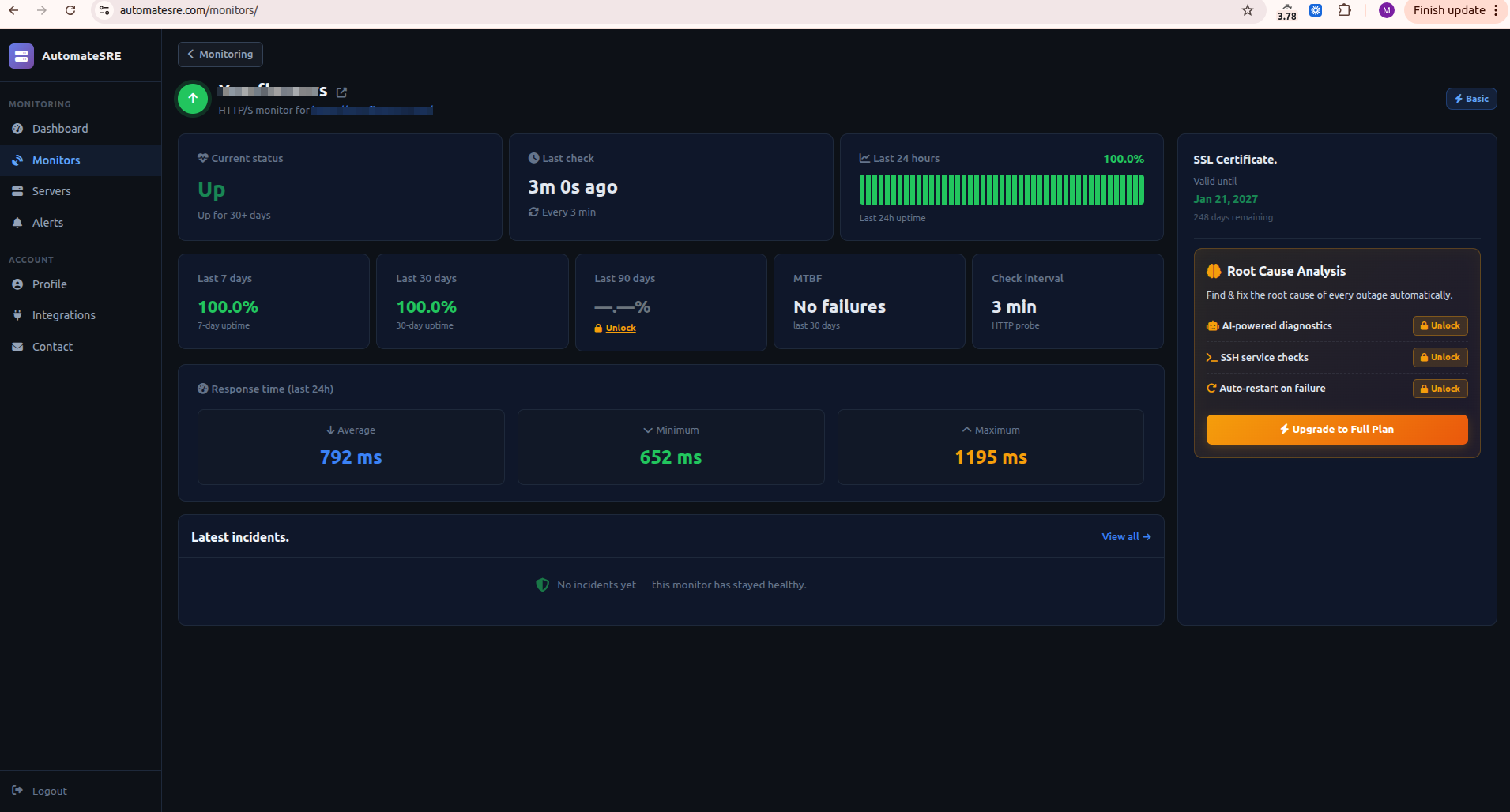
What AutomateSRE Tracks
HTTP/HTTPS checks from the AutomateSRE monitoring platform.
Downtime and recovery alerts with timestamped incident history.
SSL certificate expiry tracking and warning status.
Optional server agent for service health, logs, and root cause analysis.
Built For Real Production Incidents
Downtime alerts with recovery confirmation
AutomateSRE tracks when a site goes down and when it comes back online. Recovery messages include duration and context so teams can close the loop after an outage.
Service checks behind the URL
On full monitoring, AutomateSRE checks the services that power the website, such as PHP-FPM, MySQL, Redis, Varnish, Nginx, Apache, and Elasticsearch. This helps separate network issues from application stack failures.
Useful for lean teams and agencies
Teams managing many client sites can monitor uptime, SSL, service status, and incidents from one dashboard instead of relying on manual checks or customer reports.
How Setup Works
AutomateSRE is designed to start from the site URL and then connect server-side context only when full monitoring is enabled.
- Add the website URL.
- Choose the monitoring interval for the plan.
- Receive down and recovery alerts automatically.
- Use agent diagnostics when deeper root cause is needed.
Questions Teams Ask
What does 24/7 website monitoring mean?
It means the website is checked continuously at scheduled intervals so downtime, recovery, SSL expiry, and related service issues can be detected without manual checks.
Does AutomateSRE only monitor uptime?
The Basic plan monitors uptime. Silver and Gold add server service health, logs, AI root cause analysis, and deeper incident diagnostics.
Can alerts go to more than one contact?
Yes. AutomateSRE supports alert history, email notifications, Telegram alerts, and escalation contacts depending on the plan and configuration.
Start monitoring the site and the stack behind it.
Use AutomateSRE for uptime, services, logs, AI root cause analysis, and recovery visibility from one production dashboard.